
How do you restock our automated lockers once they've been emptied? That's the question we're answering, using the example of Gauthier from La Clayette, who kindly let us film him to show you how it's done. By the end of this article, you'll know how to restock your food lockers in under 5 minutes flat!
Viewing empty lockers and preparing the crates
If Gauthier was able to arrive at the MonCasierFrais kiosk on Place Denfert-Rochereau with his crates already prepared, it's because he already knew which chilled lockers needed restocking. How did he know? That's what we'll reveal now.
Our app shows La Clayette which lockers are empty
In the morning, before heading out, Gauthier opened his MonCasierFrais app. By selecting the La Clayette Denfert-Rochereau module, he could see which food lockers at that kiosk were empty. Thanks to this feature, he saved valuable time on preparation.

Preparing crates ahead of restocking the food lockers
Before coming to restock La Clayette's food lockers, Gauthier was able to prepare crates with the products missing from the empty lockers. Our app let him see these, but also gave him all the information essential to preparing each crate. The product photo, its name, the quantity available in a chilled locker, or the best-before date, are all visible in our app.
How does the kiosk help with restocking food lockers?
The self-ordering kiosk is the interface that lets customers buy a product stored in an automated chilled locker, but that's not all it does. It also lets you manage the restocking of your food lockers.
Logging into the self-ordering kiosk and opening empty lockers

A unique access code lets you log into the food locker management interface, directly on the self-ordering kiosk. From this interface, all you need to do is open the empty food lockers to restock them with the crates prepared beforehand.
Good to know : all the tasks needed to restock empty chilled lockers are also accessible via our app. Click the “Restock” tab and enjoy even quicker handling than with the kiosk!
Restocking chilled lockers using the MonCasierFrais kiosk

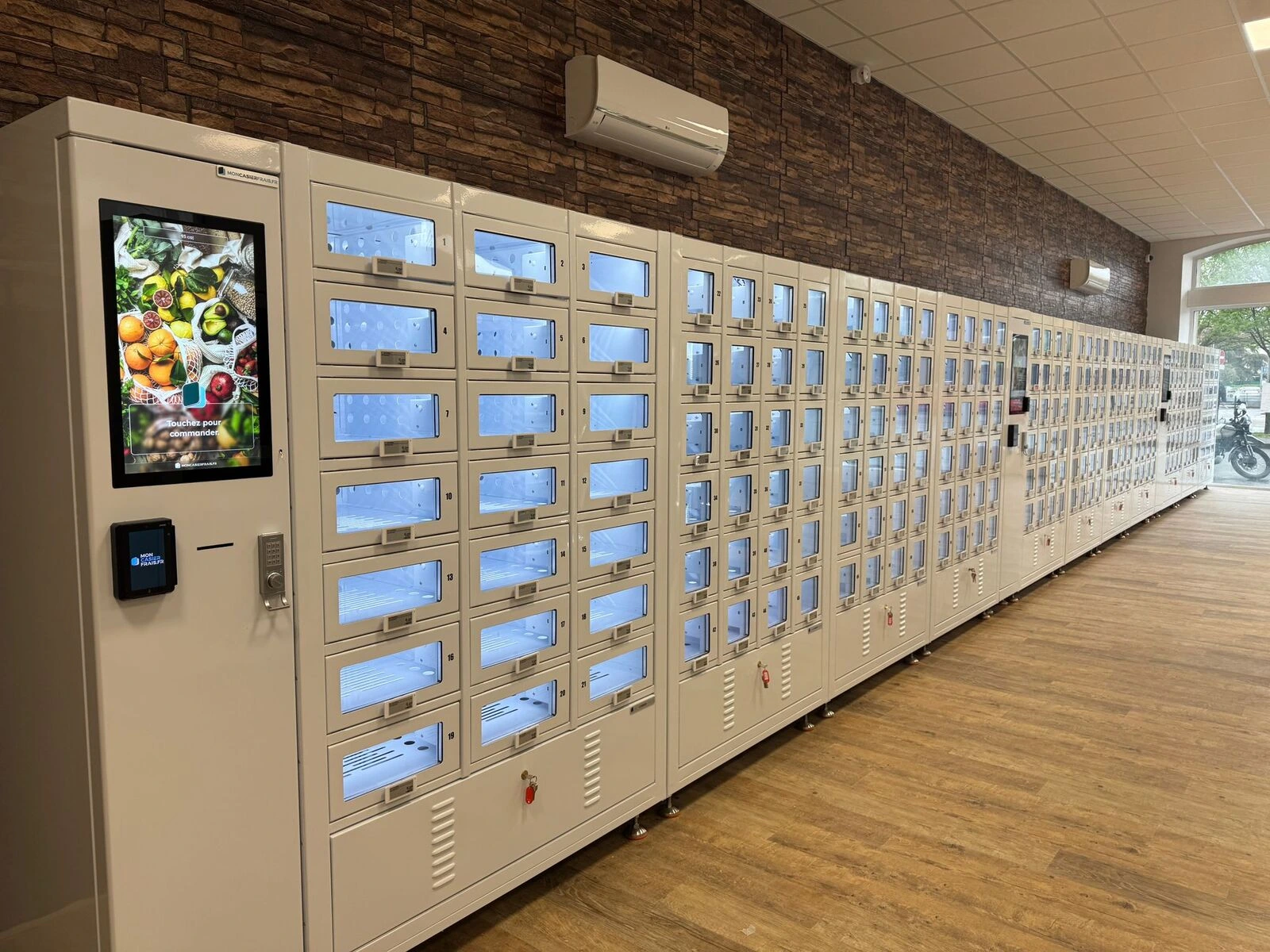
With the empty lockers on the food vending machine now open, they can be filled manually. To avoid mistakes, you can check the kiosk's interface to see where each crate should go. You can also take a quick look at your smartphone, since the MonCasierFrais app gives you the right information live. But did you know our new electronic shelf labels can also give you the key information in a few seconds?
👉 Check out our dedicated article on these new electronic shelf labels (ESL) for food lockers to understand their real value.
Restocking chilled lockers: a solution in under 5 minutes
Updating the restocking status of each automated locker
After filling the food lockers, you close them manually. This is where the “Restock” button on the self-ordering kiosk or your MonCasierFrais app comes in. Clicking it tells the kiosk that the chilled lockers have been refilled. From there, there's nothing more for you to do. The electronic shelf labels update automatically, switching from “empty locker” to displaying the product for sale.
Automated lockers are restocked in just a few minutes
In a previous article about the food locker business, we already touched on how long it takes to restock our automated lockers. It's around 5 minutes if you want to fill 24 lockers. Given that some kiosks sometimes need 3 to 4 restocks a day during busy periods, that works out to around 20 minutes spent restocking your lockers across several sales a day.
Tip : this timing was measured without electronic shelf labels (ESL). When you have them, restocking automated lockers goes even faster!
In short, restocking chilled food lockers is a quick, simple task, thanks to modern tools like the MonCasierFrais app and our connected self-ordering kiosks. In under 5 minutes, you open the empty lockers, fill them with the right products, and update the ordering interface. With our new electronic shelf labels, restocking times for chilled automated lockers get even better. With MonCasierFrais's expertise, you're now ready to restock your automated lockers in record time!
Call us on 04.81.16.12.02 or email us at contact@moncasierfrais.fr, we'd be delighted to let you try out one of our installations!

.webp)